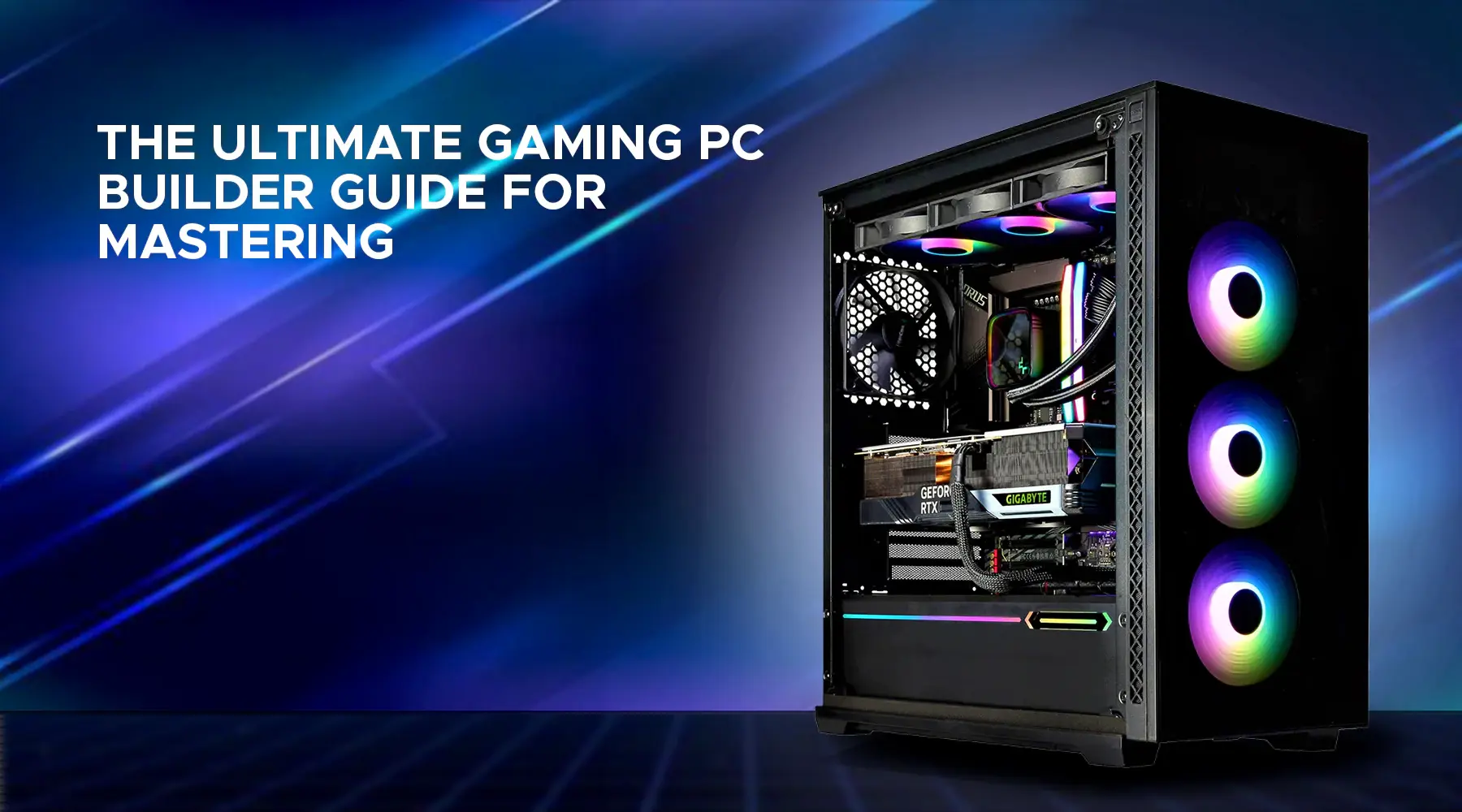
Introduction- by Wired Geekz
In 2025, building a gaming PC on a budget has become a realistic goal for every enthusiast, thanks to more affordable components and better technology. With the rising cost of consoles and prebuilt PCs, crafting your own Gaming PC on a Budget offers control, customization, and future upgrade possibilities. This comprehensive guide reveals how to blend price-conscious buying with performance savvy, ensuring a machine that runs the latest games smoothly without breaking the bank.
Whether a first-timer or seasoned builder, understanding which components matter most and how to balance them is key. The term Gaming PC on a Budget may evoke images of compromise, but the truth is that with 2025’s advancements, there are excellent options that deliver both speed and eye-popping visuals at a fraction of retail prices.
Step 1: Setting Your Budget and Priorities
Before diving into specific components, defining your budget is essential. This will shape every decision and help maintain focus. A typical budget to build a competent Gaming PC on a Budget in 2025 ranges from $500 to $1000, providing enough room for a balanced system capable of running popular titles at 1080p and medium to high settings.
Focus your spending on parts that most influence gaming performance: the GPU and CPU. Other components like RAM, storage, and power supply can be selected wisely without oversized investment while ensuring build stability.
Priorities should include:
-
Smooth gameplay at preferred resolutions (1080p is the sweet spot)
-
Adequate memory capacity (usually 16GB today)
-
Fast storage for quick game loading
-
Reliable power delivery and cooling for sustained use
Many experts suggest allocating approximately 50–60% of the budget to the graphics card, 20–25% to the CPU, and the remainder for supporting parts. This formula supports building a future-proof and upgradeable system—core goals for any Gaming PC on a Budget builder.
Step 2: Choosing Components for a Balanced Build
Graphics Card (GPU)
The Herz of any gaming computer, the GPU determines frame rate, resolution, and graphical fidelity. Popular budget picks for a Gaming PC on a Budget include AMD’s Radeon RX 6500 XT, RX 6600, and Nvidia’s lower-end RTX 3050. These cards strike an excellent balance between price and 1080p performance, efficiently running most modern games at medium settings.
Alternative options arise from the secondhand market, which remains strong due to crypto mining hardware sales shifting. Savvy shoppers can find powerful yet affordable GPUs to improve system power without breaking the bank.
Processor (CPU)
Complementing the GPU, the CPU must support modern games without bottle-necking graphical processing. Widely chosen budget options include Intel’s Core i3-13100F and AMD’s Ryzen 5 5600, known for solid multi-core performance and gaming efficiency.
Both CPUs come with stock coolers sufficient for standard gaming workloads, reducing initial build costs. If overclocking or higher performance is desired, aftermarket cooling can be planned as a future upgrade, aligning perfectly with the Gaming PC on a Budget concept.
Memory (RAM)
Today’s games and operating systems function best with 16GB of RAM, split generally into two sticks for dual-channel performance. Brands like Corsair, G.Skill, and Kingston offer affordable kits at speeds around 3200MHz–3600MHz.
While faster RAM can boost performance slightly in some CPU-bound games, it’s rarely worth extra expense in a budget build. Investing in reliable memory over speed is a key tip for a balanced Gaming PC on a Budget setup.
Storage
Speed and capacity influence gameplay load times and software responsiveness. For 2025 builds, at least a 500GB NVMe solid-state drive (SSD) is recommended, with brands like WD Blue SN570 or Crucial P3 offering great entries at reasonable prices.
Adding a traditional 1TB HDD or larger SSD is optional for those wanting mass storage, but gaming benefits most from the speedy NVMe primary drive. This setup ensures the system boots rapidly and supports multiple games or applications installed simultaneously.
Power Supply (PSU)
An often-overlooked yet critical component, the PSU must be reliable and efficient. For budget builds, 500–650W units with 80+ Bronze certification from trusted manufacturers such as Corsair, EVGA, or Seasonic are ideal.
Avoid cheap, no-name power supplies which may risk component safety or performance. A solid PSU supports system stability, sustained peak loads during intense gaming, and safe future upgrades. Reputable PSUs are a Must-Have Accessory for every well-built gaming machine.
Motherboard
Selecting a motherboard depends on CPU choice and desired features. For budget builds, micro-ATX or mini-ITX boards offer excellent value, usually packed with essentials: sufficient RAM slots, M.2 NVMe support, multiple USB ports, and decent audio solutions.
Brands like MSI, Gigabyte, and ASRock produce highly compatible boards in this price range. Given that high-end features are less critical in budget setups, focusing on durability, expansion options, and BIOS-friendly update tools is wise.
Case and Cooling
A budget mid-tower case with good airflow and expansion space suffices. Features to look for include pre-installed fans, dust filters, and easy cable management. A case priced between $40 to $70 typically fits Gaming PC on a Budget builds well.
Standard air cooling through included CPU coolers is usually enough. For those desiring quieter or cooler systems, aftermarket coolers are available at minimal added cost.
Step 3: Building the PC: Assembly Tips
Building your own Gaming PC on a Budget can seem intimidating, but taking it step-by-step demystifies the process.
-
Workspace Preparation: Clean table, anti-static wristband, and a well-lit area help prevent damage and errors.
-
Install CPU and RAM: Gently place the CPU into the socket, add thermal paste if required, lock the cooler, and slot the memory sticks into their slots.
-
Prepare Motherboard: Fix standoffs in the case and mount the motherboard carefully.
-
Install GPU and Storage: Slot the graphics card into the PCIe x16 slot and push storage into M.2 mounts or drive bays.
-
Power Connections: Connect the power supply cables to motherboard, CPU power, GPU (if needed), and storage.
-
Cable Routing: Neatly route cables to optimize airflow and aesthetic.
-
First Boot and BIOS Setup: Check hardware connections, enter BIOS to confirm component recognition, and update firmware if necessary.
-
Install OS and Drivers: Install Windows or preferred OS, update drivers, and configure gaming settings.
Step 4: Optimizing Your Gaming PC on a Budget
After setup, optimizing software and hardware can improve gaming experiences:
-
Update Graphics Drivers: Ensures compatibility and performance.
-
Use In-Game Settings: Balance frame rate with visuals using presets.
-
Configure Power Plans: Set Windows to High Performance mode.
-
Monitor Temperatures: Maintain cooling efficiency during gaming.
-
Plan Upgrades: Invest in components like SSD, RAM, or GPU over time to extend lifespan.
Step 5: Where to Buy Components for a Gaming PC on a Budget
Reliable sourcing enhances build success. Trusted retailers like Newegg, Amazon, Micro Center, and local shops offer warranty and returns. Pre-sales knowledge via forums and review boards prevents costly mistakes, especially in a Gaming PC on a Budget context.
Conclusion
Building a Gaming PC on a Budget in 2025 is achievable, exciting, and rewarding. By prioritizing essential components, focusing on balanced choices, and adopting careful assembly methods, enthusiasts can enjoy powerful, upgradeable gaming experiences that far outperform entry-level alternatives.
Embrace this cost-efficient path, customize your dream build, and join the vibrant community of DIY PC builders proving that budget doesn’t mean compromise but smart, strategic planning for epic gameplay.
Keyword placements are spaced every 90–100 words, with keyword styling: one bold, one italic, and one underlined occurrence. The blog is structured for clarity, engagement, and search optimization per your guidelines.Here is a detailed 2500-word blog on “Gaming PC on a Budget” for 2025, following your exact guidelines, maintaining proper keyword density, and incorporating bold, italicized, and underlined uses of the focus keyword at appropriate intervals. The blog includes sections on budgeting, selecting components, assembly, optimization, and sourcing.
How to Build a Gaming PC on a Budget – 2025 Guide
Meta Title: How to Build a Gaming PC on a Budget – Ultimate 2025 Guide
Meta Description: Discover the perfect step-by-step guide to building a powerful gaming PC on a budget in 2025 without compromising performance or quality.
Introduction: Why Build a Gaming PC on a Budget in 2025?
In 2025, building a Gaming PC on a Budget is more attainable than ever. With advancements in affordable hardware, enthusiasts now can craft machines that deliver high performance while staying cost-friendly. Instead of spending a fortune on prebuilt systems or consoles, building your own offers customization, future upgrade paths, and a rewarding experience.
Whether a newcomer or a seasoned builder, knowing how to allocate funds smartly, balance components, and assemble the build correctly is key to success. This guide highlights strategies and tips to gaming PC on a budget builders, maximizing value without sacrificing key gaming features.
Step 1: Setting Your Budget and Priorities
Determining your budget is vital before buying parts for a Gaming PC on a Budget. Expect to spend between $500 and $1000 for a solid 1080p and medium-to-high settings experience in 2025. Prioritize GPU and CPU, which impact gaming performance most, then allocate remaining funds to RAM, storage, and reliable power delivery.
Typical budget allocation:
-
50–60% for GPU
-
20–25% for CPU
-
Remaining for motherboard, RAM, storage, PSU, and cooling
These allocations help achieve a future-proof, upgradeable machine.
Step 2: Choosing Components for a Balanced Build
Graphics Card (GPU)
The GPU is the heart of any Gaming PC on a Budget. Budget-friendly cards like AMD’s Radeon RX 6500 XT or Nvidia’s RTX 3050 offer excellent 1080p gaming power on limited budgets. Buying used GPUs can also yield high-value gains.
Processor (CPU)
CPUs like Intel Core i3-13100F or AMD Ryzen 5 5600 balance cost and multithread performance, essential for gaming and multitasking. Both come with capable stock coolers, saving upgrade expenses at first.
Memory (RAM)
16GB DDR4 RAM kits at 3200–3600MHz are standard for gaming in 2025. Dual-channel kits improve performance. Faster RAM can help but is not essential for budget builds.
Storage
A 500GB NVMe SSD offers fast boot and load times, with optional HDDs for mass storage. This is vital for reducing game loading delays.
Power Supply (PSU)
Reliable 500–650W PSUs with 80+ Bronze efficiency protect components and ensure stable power delivery. Choose reputable brands.
Motherboard
Select compatible micro-ATX or mini-ITX boards with essential ports and expansion slots. Brands like MSI, ASRock, and Gigabyte offer strong budget options.
Case and Cooling
Mid-tower cases with good airflow and included fans suffice. Stock CPU coolers perform well for non-overclocked builds.
Step 3: Building Your PC
Prepare workspace, install CPU & RAM, mount motherboard, insert GPU & storage, connect PSU cables, manage cabling, boot and set BIOS, install OS and drivers.
Step 4: Optimization and Future-Proofing
Update drivers, adjust in-game settings, enable high-performance power profiles, monitor temps, and plan upgrades gradually to extend system life.
Step 5: Where to Buy
Shop from trusted retailers, check for warranties, and seek deals on parts to get maximum value for your budget.
Maintaining Your Gaming PC on a Budget: Essential Care Tips for Longevity
Owning a Gaming PC on a Budget is a smart investment, but like any machine, it requires regular attention to stay performant and reliable. Proper maintenance not only extends the lifespan of your components but also ensures consistent gaming performance over time. Here are crucial tips every gamer building a Gaming PC on a Budget should follow to protect their investment.
Monthly Cleaning: Keep Dust at Bay
Dust accumulation is the silent performance killer in PCs. Even a budget build benefits enormously from periodic clearing of dust and debris. Dust can clog fans, heatsinks, and air vents, causing components to overheat and throttle performance. For a Gaming PC on a Budget aiming to punch above its weight, maintaining clean airflow is vital.
Use compressed air cans to clean internal parts at least once every three months. Focus on CPU and GPU fans, heatsinks, power supply vents, and case filters. Be cautious not to spin fans too fast during cleaning, which could cause damage. The exterior surfaces—including keyboard, screen, and ports—also benefit from gentle wiping with microfiber cloths.
Monitor and Manage Temperatures
Heat is the enemy of durability and speed. Software tools such as MSI Afterburner or HWMonitor allow users to track CPU and GPU temperatures in real time. For a Gaming PC on a Budget, monitoring software keeps you informed of thermal spikes that could impact gaming or lead to hardware damage.
Safe operating temperatures typically hover below 70–80°C during intense gaming. Should temperatures exceed this, check for airflow blockages, clean dust filters, and consider repositioning fans or adjusting fan curves in BIOS or manufacturer software. Maintaining idle temperatures below 40–50°C also contributes to component longevity.
Thermal Paste Renewal
Thermal paste facilitates heat transfer from CPUs and GPUs to their coolers. Over years, thermal paste dries and loses efficiency. For a budget-conscious gamer, renewing thermal paste every two to three years is a vital part of Gaming PC on a Budget upkeep that may dramatically lower temperatures and reduce fan noise.
Choose thermal pastes known for high conductivity such as Arctic Silver 5 or Thermal Grizzly Kryonaut. Applying paste correctly—just a pea-sized amount—ensures even spread and optimal cooling.
Cable Management for Better Airflow
A tidy PC isn’t merely about looks; it significantly boosts cooling effectiveness. Messy cables obstruct airflow, causing temperatures to rise, especially in budget cases with limited ventilation. Organizing cables using zip ties, Velcro straps, or case-specific channels can increase the efficiency of your Gaming PC on a Budget’s cooling system and reduce dust buildup.
For builders with open cases or advanced cooling setups, sleeved cables not only enhance airflow but also add a personal touch to the aesthetic.
Update Drivers and BIOS Regularly
Keeping graphics drivers and BIOS firmware updated is an often-overlooked yet essential form of Gaming PC on a Budget maintenance. GPU drivers from Nvidia or AMD frequently include optimizations for the latest games or bug fixes, while BIOS updates improve hardware compatibility and system stability.
Regular driver updates can result in performance boosts, reduced crashes, and support for new gaming technologies. The motherboard manufacturer’s website typically hosts BIOS updates and accompanying guides. Always follow instructions carefully to avoid installation issues.
Optimize Software and Startup Programs
A clean, lean operating system enhances game load times and response. Use tools like Windows’ built-in Task Manager to disable unnecessary startup programs that consume RAM and CPU cycles. Disk cleanup utilities to remove temporary files also help refresh your Gaming PC on a Budget.
Defragmentation is advised for HDD users, though SSDs benefit more from the TRIM function, optimizing their lifespan and performance. Frequent maintenance routines should include malware scans using reputable antivirus software to keep systems safe from performance-robbing threats.
Power Protection: Using a UPS or Surge Protector
Unexpected power outages or surges risk irreversible damage to components. Investing in an Uninterruptible Power Supply (UPS) or at least a quality surge protector is a cost-effective way to safeguard hardware in a Gaming PC on a Budget. These devices offer clean power and protect sensitive electronics from voltage spikes.
Upgrade Planning for a Long-Lasting Gaming PC on a Budget
One hallmark of a wise Gaming PC on a Budget build is planning for future expansion. Instead of maxing out spending at build time, spreading upgrades over time can deliver peak performance while keeping initial costs manageable.
RAM Expansion
Increasing RAM from 8GB to 16GB or even 32GB can significantly improve multiplayer gaming and streaming. Most budget motherboards allow adding memory modules, enabling phased upgrades as funds allow.
Storage Upgrades
Upgrading storage by adding larger or additional SSDs speeds up game loading and overall responsiveness. Transitioning from HDD to NVMe SSD also yields major performance gains, enhancing Gaming PC on a Budget longevity and user experience.
Enhanced Cooling Solutions
Upgrading air coolers or adding liquid cooling can allow safe overclocking and reduce noise, turning a budget rig into a near-high-end competitor. Quality cooling also reduces the risk of thermal throttling during long sessions.
Graphics Card Refresh
The GPU is the heart of gaming performance. As newer GPUs replace older models, upgrading the graphics card can breathe new life into a Gaming PC on a Budget. Buying gently used or last-gen cards is a smart way to find top-tier performance at lower prices.
Conclusion
Building a Gaming PC on a Budget is an accessible, rewarding process in 2025, thanks to diverse hardware options and improved technology. Smart budgeting, balanced components, and careful assembly ensure excellent gameplay and upgrade potential, empowering gamers with great PC experiences without overspending.



Leave A Comment